Introduction – Why RAG Exists
Large Language Models are trained on fixed datasets with a knowledge cutoff. Ask an LLM about your private documents, a recent event, or internal company data and it either hallucinates an answer or admits it doesn't know.
Retrieval-Augmented Generation (RAG) solves this by splitting the problem in two: a retriever finds the most relevant passages from your knowledge base, and a generator produces an answer grounded in those passages — not in parametric memory. The result is a system that is factual, auditable, and easy to update without retraining.
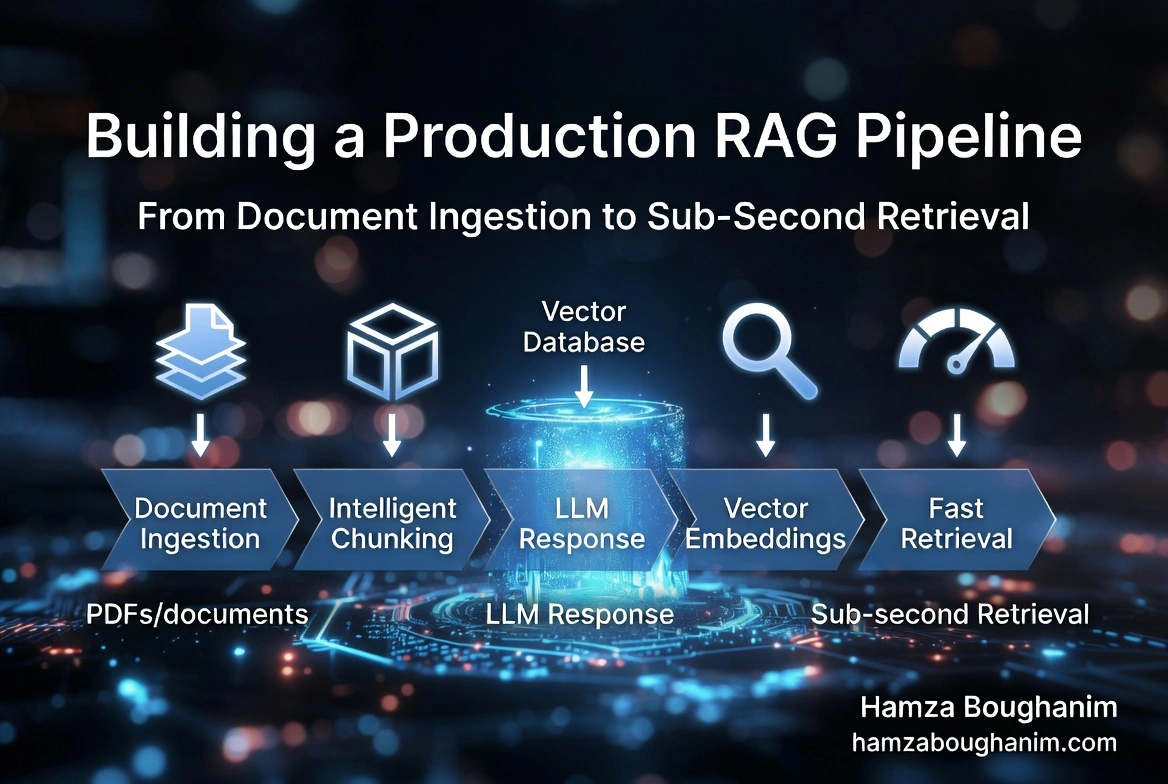
This article walks through every layer of a production RAG pipeline — from raw documents to sub-second retrieval — with real Python code you can drop into your own projects. The full stack used here: LangChain · sentence-transformers · pgvector · FastAPI · Phi-3 / Ollama.
RAG Architecture at a Glance
| Stage | What happens | Key decision |
|---|---|---|
| 1. Ingestion | Load & clean raw documents | File formats, OCR for scanned PDFs |
| 2. Chunking | Split documents into retrievable units | Chunk size & overlap strategy |
| 3. Embedding | Encode chunks as dense vectors | Model choice (speed vs quality) |
| 4. Indexing | Store vectors in a vector database | pgvector vs ChromaDB vs Pinecone |
| 5. Retrieval | Find top-k chunks for a query | Similarity metric + reranking |
| 6. Generation | LLM produces a grounded answer | Prompt template + context window |
Step 1 – Document Ingestion & Preprocessing
Raw documents arrive in many formats — PDF, DOCX, HTML, plain text. The goal of ingestion is to normalize them into clean plain text before any chunking or embedding happens.
Loading Documents
from pathlib import Path
from langchain_community.document_loaders import (
    PyMuPDFLoader,   # fast, accurate PDF text extraction
    Docx2txtLoader,
    TextLoader,
    BSHTMLLoader,
)

def load_document(path: str):
    ext = Path(path).suffix.lower()
    loaders = {
        ".pdf":  PyMuPDFLoader,
        ".docx": Docx2txtLoader,
        ".txt":  TextLoader,
        ".html": BSHTMLLoader,
    }
    loader_cls = loaders.get(ext)
    if not loader_cls:
        raise ValueError(f"Unsupported format: {ext}")
    return loader_cls(path).load()   # returns list[Document]

docs = load_document("policy_manual.pdf")
print(f"Loaded {len(docs)} page(s), ~{sum(len(d.page_content) for d in docs):,} chars")
Cleaning and Normalizing Text
Raw extracted text is noisy — page headers, footers, ligature artifacts, and repeated whitespace all degrade retrieval quality. Clean before chunking, not after.
import re

def clean_text(text: str) -> str:
    # Collapse multiple newlines to double (preserve paragraph breaks)
    text = re.sub(r'
{3,}', '

', text)
    # Remove page-number artifacts (e.g. "- 12 -" or "Page 12 of 45")
    text = re.sub(r'-s*d+s*-|Pages+d+s+ofs+d+', '', text, flags=re.IGNORECASE)
    # Replace smart quotes and dashes with ASCII equivalents
    text = text.replace('’', "'").replace('—', '--').replace(' ', ' ')
    # Collapse multiple spaces
    text = re.sub(r'[ 	]{2,}', ' ', text)
    return text.strip()

for doc in docs:
    doc.page_content = clean_text(doc.page_content)
Step 2 – Chunking Strategy: The Most Underrated Decision
Chunking is where most RAG pipelines fail silently. Chunks that are too large drown the LLM in irrelevant context. Chunks that are too small lose meaning. The right strategy depends on your document structure.
Recursive Character Splitter (Default Choice)
Tries to split on natural boundaries (paragraphs → sentences → words) before falling back to character count. Works well for most prose.
from langchain.text_splitter import RecursiveCharacterTextSplitter

splitter = RecursiveCharacterTextSplitter(
    chunk_size=512,       # characters per chunk
    chunk_overlap=64,     # overlap prevents cutting mid-thought
    separators=["

", "
", ". ", " ", ""],
)

chunks = splitter.split_documents(docs)
print(f"{len(chunks)} chunks, avg {sum(len(c.page_content) for c in chunks)//len(chunks)} chars")
Semantic Chunking (Better Quality, Slower)
Groups sentences by embedding similarity instead of character count. Produces semantically coherent chunks at the cost of an extra embedding pass. Use when retrieval quality matters more than ingestion speed.
from langchain_experimental.text_splitter import SemanticChunker
from langchain_community.embeddings import HuggingFaceEmbeddings

embeddings = HuggingFaceEmbeddings(model_name="BAAI/bge-small-en-v1.5")

semantic_splitter = SemanticChunker(
    embeddings=embeddings,
    breakpoint_threshold_type="percentile",  # split where similarity drops most
    breakpoint_threshold_amount=85,
)

semantic_chunks = semantic_splitter.split_documents(docs)
print(f"{len(semantic_chunks)} semantic chunks")
Chunking Rules of Thumb
| Document type | Recommended chunk_size | Overlap |
|---|---|---|
| Legal / policy docs | 512–1024 chars | 10–15% |
| Technical manuals | 256–512 chars | 15–20% |
| News / blog articles | 512 chars | 10% |
| Q&A / FAQ | 128–256 chars | 0–5% |
Step 3 – Embeddings: Turning Text into Vectors
An embedding model converts each chunk into a dense numeric vector that captures its semantic meaning. Similar texts produce similar vectors — enabling similarity search.
Choosing an Embedding Model
| Model | Dim | Speed | Quality | Best for |
|---|---|---|---|---|
| BAAI/bge-small-en-v1.5 | 384 | ⚡ Fast | Good | High-throughput ingestion |
| BAAI/bge-large-en-v1.5 | 1024 | Medium | Excellent | Quality-critical retrieval |
| text-embedding-3-small | 1536 | API | Excellent | OpenAI stack |
| multilingual-e5-large | 1024 | Medium | Excellent | Arabic / French / multilingual |
Generating Embeddings in Batch
from sentence_transformers import SentenceTransformer
import numpy as np

model = SentenceTransformer("BAAI/bge-small-en-v1.5")

texts = [c.page_content for c in chunks]

# Batch encode — GPU if available, CPU otherwise
vectors = model.encode(
    texts,
    batch_size=64,
    show_progress_bar=True,
    normalize_embeddings=True,   # unit-normalize for cosine similarity
)

print(f"Shape: {vectors.shape}")        # (num_chunks, 384)
print(f"Dtype: {vectors.dtype}")        # float32
print(f"Norm:  {np.linalg.norm(vectors[0]):.4f}")  # ~1.0
Step 4 – Vector Store: pgvector in PostgreSQL
For production workloads, pgvector is the pragmatic choice: your vectors live alongside your relational metadata, you get ACID transactions, and you avoid a separate infrastructure dependency. ChromaDB is great for prototyping; pgvector scales to billions of vectors with HNSW indexing.
Setting Up pgvector
-- Run once in your PostgreSQL database
CREATE EXTENSION IF NOT EXISTS vector;

CREATE TABLE documents (
    id          SERIAL PRIMARY KEY,
    content     TEXT NOT NULL,
    source      TEXT,
    page        INT,
    embedding   VECTOR(384)    -- must match your model's output dimension
);

-- HNSW index — fast approximate nearest-neighbor search
-- m=16, ef_construction=64 are good defaults for most use cases
CREATE INDEX ON documents USING hnsw (embedding vector_cosine_ops)
WITH (m = 16, ef_construction = 64);
Inserting Chunks and Vectors
import psycopg2
from psycopg2.extras import execute_values

conn = psycopg2.connect("postgresql://user:pass@localhost:5432/ragdb")
cur  = conn.cursor()

rows = [
    (
        chunk.page_content,
        chunk.metadata.get("source", ""),
        chunk.metadata.get("page", 0),
        vec.tolist(),           # pgvector expects a Python list
    )
    for chunk, vec in zip(chunks, vectors)
]

execute_values(
    cur,
    "INSERT INTO documents (content, source, page, embedding) VALUES %s",
    rows,
    template="(%s, %s, %s, %s::vector)",
)
conn.commit()
print(f"Inserted {len(rows)} chunks")
Step 5 – Retrieval: Semantic Search and Reranking
At query time, the user's question is embedded with the same model, then compared against stored vectors. The top-k most similar chunks are returned.
Cosine Similarity Search
def retrieve(query: str, top_k: int = 5) -> list[dict]:
    # Embed the query
    q_vec = model.encode([query], normalize_embeddings=True)[0].tolist()

    cur.execute(
        """
        SELECT content, source, page,
               1 - (embedding <=> %s::vector) AS score
        FROM   documents
        ORDER  BY embedding <=> %s::vector
        LIMIT  %s
        """,
        (q_vec, q_vec, top_k),
    )

    return [
        {"content": row[0], "source": row[1], "page": row[2], "score": float(row[3])}
        for row in cur.fetchall()
    ]

results = retrieve("What is the policy on data retention?", top_k=5)
for r in results:
    print(f"[{r['score']:.3f}] {r['source']} p.{r['page']}: {r['content'][:80]}...")
Adding a Cross-Encoder Reranker
Bi-encoder retrieval is fast but imprecise — it scores each chunk independently. A cross-encoder reranker takes the (query, chunk) pair together, producing a more accurate relevance score. Run it on the top-20 candidates, then keep only the top 5.
from sentence_transformers import CrossEncoder

reranker = CrossEncoder("cross-encoder/ms-marco-MiniLM-L-6-v2")

def retrieve_and_rerank(query: str, fetch_k: int = 20, top_k: int = 5):
    candidates = retrieve(query, top_k=fetch_k)

    # Score each (query, passage) pair
    pairs  = [(query, c["content"]) for c in candidates]
    scores = reranker.predict(pairs)

    # Sort by reranker score and return top_k
    ranked = sorted(
        zip(candidates, scores),
        key=lambda x: x[1],
        reverse=True,
    )
    return [c for c, _ in ranked[:top_k]]
Step 6 – Augmented Generation
The retrieved chunks become the context injected into the LLM prompt. The model is instructed to answer using only the provided context, which grounds the output and dramatically reduces hallucination.
Building the Prompt Template
SYSTEM_PROMPT = """You are a precise document assistant.
Answer the user's question using ONLY the provided context passages.
If the answer is not in the context, say "I cannot find this in the provided documents."
Do NOT use prior knowledge. Cite the source and page number for each claim."""

def build_prompt(query: str, context_chunks: list[dict]) -> str:
    context = "

---

".join(
        f"[Source: {c['source']}, Page {c['page']}]
{c['content']}"
        for c in context_chunks
    )
    return f"""{SYSTEM_PROMPT}

CONTEXT:
{context}

QUESTION: {query}

ANSWER:"""
Calling the LLM (Ollama / Local)
import httpx

def generate(query: str, model: str = "phi3") -> str:
    context_chunks = retrieve_and_rerank(query)
    prompt = build_prompt(query, context_chunks)

    response = httpx.post(
        "http://localhost:11434/api/generate",
        json={"model": model, "prompt": prompt, "stream": False},
        timeout=60,
    )
    response.raise_for_status()
    return response.json()["response"]

answer = generate("What is the maximum data retention period?")
print(answer)
FastAPI Endpoint
from fastapi import FastAPI
from pydantic import BaseModel

app = FastAPI()

class QueryRequest(BaseModel):
    question: str
    model: str = "phi3"
    top_k: int = 5

@app.post("/rag/query")
async def rag_query(req: QueryRequest):
    chunks  = retrieve_and_rerank(req.question, top_k=req.top_k)
    prompt  = build_prompt(req.question, chunks)
    answer  = generate(req.question, model=req.model)
    return {
        "answer":  answer,
        "sources": [{"source": c["source"], "page": c["page"], "score": c["score"]} for c in chunks],
    }
Evaluating RAG Quality
A RAG pipeline has two failure modes: the retriever fetches the wrong chunks, or the generator produces a wrong answer from the right chunks. Measure both separately.
Retrieval Metrics
def precision_at_k(retrieved_ids: list, relevant_ids: set, k: int) -> float:
    """What fraction of the top-k retrieved chunks are actually relevant?"""
    top_k = retrieved_ids[:k]
    hits  = sum(1 for doc_id in top_k if doc_id in relevant_ids)
    return hits / k

def recall_at_k(retrieved_ids: list, relevant_ids: set, k: int) -> float:
    """What fraction of all relevant chunks did we retrieve in top-k?"""
    top_k = retrieved_ids[:k]
    hits  = sum(1 for doc_id in top_k if doc_id in relevant_ids)
    return hits / len(relevant_ids) if relevant_ids else 0.0

# Example evaluation loop
for sample in eval_dataset:
    retrieved = retrieve(sample["query"], top_k=5)
    retrieved_ids = [r["id"] for r in retrieved]
    p5 = precision_at_k(retrieved_ids, set(sample["relevant_ids"]), k=5)
    r5 = recall_at_k(retrieved_ids,    set(sample["relevant_ids"]), k=5)
    print(f"P@5: {p5:.2f}  R@5: {r5:.2f}")
Answer Faithfulness with an LLM Judge
FAITHFULNESS_PROMPT = """Given the context and the answer below, rate how faithfully
the answer is grounded in the context. Score 1–5 where:
1 = completely hallucinated, 5 = fully supported by context.

CONTEXT: {context}
ANSWER:  {answer}

Reply with a single integer score and a one-sentence justification."""

def score_faithfulness(context: str, answer: str) -> int:
    prompt = FAITHFULNESS_PROMPT.format(context=context, answer=answer)
    response = generate_with_llm(prompt)   # any LLM call
    score = int(response.strip()[0])       # first character is the digit
    return score
Production Checklist
- Chunk metadata matters. Always store source, page, and document date — they enable citation and date-based filtering.
- Re-embed when you change models. Switching embedding models invalidates all stored vectors. Use DVC or a migration script.
- HNSW over IVFFlat for <10M vectors. HNSW gives better recall at the same latency without requiring a training step.
- Cache frequent queries. A Redis layer in front of the vector search cuts p95 latency by 60–80% for repeated queries.
- Monitor retrieval quality, not just LLM output. Most RAG failures start in the retriever, not the generator.
- Hybrid search for exact matches. Combine vector search with BM25 full-text search for queries containing proper nouns, dates, or codes.
Final Thought
RAG is not a single component — it is a pipeline, and quality degrades at every step that isn't carefully tuned. A bad chunking strategy will not be saved by a powerful LLM. Retrieval precision at 5 matters more than the model's parameter count.
Start simple: recursive splitter, a good bi-encoder, pgvector with HNSW, and a local model. Measure retrieval precision first. Only add complexity — reranking, hybrid search, semantic chunking — where your evaluation data shows a gap. Data quality beats model size. Retrieval quality beats prompt length.