Introduction: "Just Use a GPU" Is Not an Explanation
Every deep learning tutorial says the same thing: get a GPU, or your model will train forever. Almost none of them explain why. Most engineers eventually treat "GPU = fast AI" as an article of faith rather than an architectural fact they understand well enough to reason about — which is a problem the moment you have to decide between an RTX 4090, an A100, an H100, or renting a cluster of them.
This article goes one level deeper than the usual "GPUs have more cores" explanation. We'll look at why deep learning reduces to matrix multiplication, how a GPU's memory hierarchy — not just its core count — determines real-world training speed, what Tensor Cores actually do differently from CUDA cores, and how mixed precision and parallelism let today's models scale from millions to trillions of parameters without melting a single card.
Deep Learning Is a Linear Algebra Problem Wearing a Trench Coat
A neural network layer is, almost without exception, one of three operations: a matrix multiplication, an element-wise nonlinearity, or a reduction (sum, mean, max). Attention layers, convolutions, and fully-connected layers all reduce to the same primitive:
Output = activation(Input × Weights + Bias)The complexity is not in the operation — it's in the scale. A single linear layer in a mid-sized transformer might multiply a 4096 × 4096 weight matrix against a batch of input vectors. That one operation requires roughly 34 billion multiply-accumulate operations. A forward and backward pass through a modern LLM performs this thousands of times, for every token, in every batch, for every training step — often for weeks.
The task is embarrassingly parallel: every output element in a matrix multiplication can be computed independently of every other. That single property is the entire reason GPU architecture exists in its current form, and it's the reason the rest of this article matters.
CPU vs GPU: Two Different Bets on What Matters
CPUs and GPUs are not "the same thing, one faster." They encode opposite bets about what a processor should optimize for.
| Design Goal | CPU | GPU |
|---|---|---|
| Core count | 4–64 heavyweight cores | Thousands of lightweight cores |
| Optimized for | Low-latency sequential logic, branching | High-throughput identical operations |
| Cache per core | Large (MBs of L1/L2/L3) | Small, shared across many cores |
| Control logic | Complex — branch prediction, out-of-order execution | Minimal — cores execute in lockstep (SIMT) |
| Best at | OS tasks, I/O, branching code, single-thread speed | Matrix math, image processing, simulation |
A CPU core spends a large share of its transistor budget on branch prediction and out-of-order execution — machinery for handling "if this, then that" logic efficiently. A GPU core has almost none of that. It assumes every thread in a group will do the exact same operation on different data, an execution model called SIMT (Single Instruction, Multiple Threads). That assumption is exactly true for matrix multiplication and exactly false for a database engine — which is why GPUs excel at one and CPUs at the other.
Inside a Modern GPU: SMs, CUDA Cores, and Tensor Cores
"GPU cores" is a loose term that hides real architectural distinctions. Understanding them explains why an H100 with fewer raw CUDA cores than a gaming GPU still crushes it on AI workloads.
Streaming Multiprocessors (SMs)
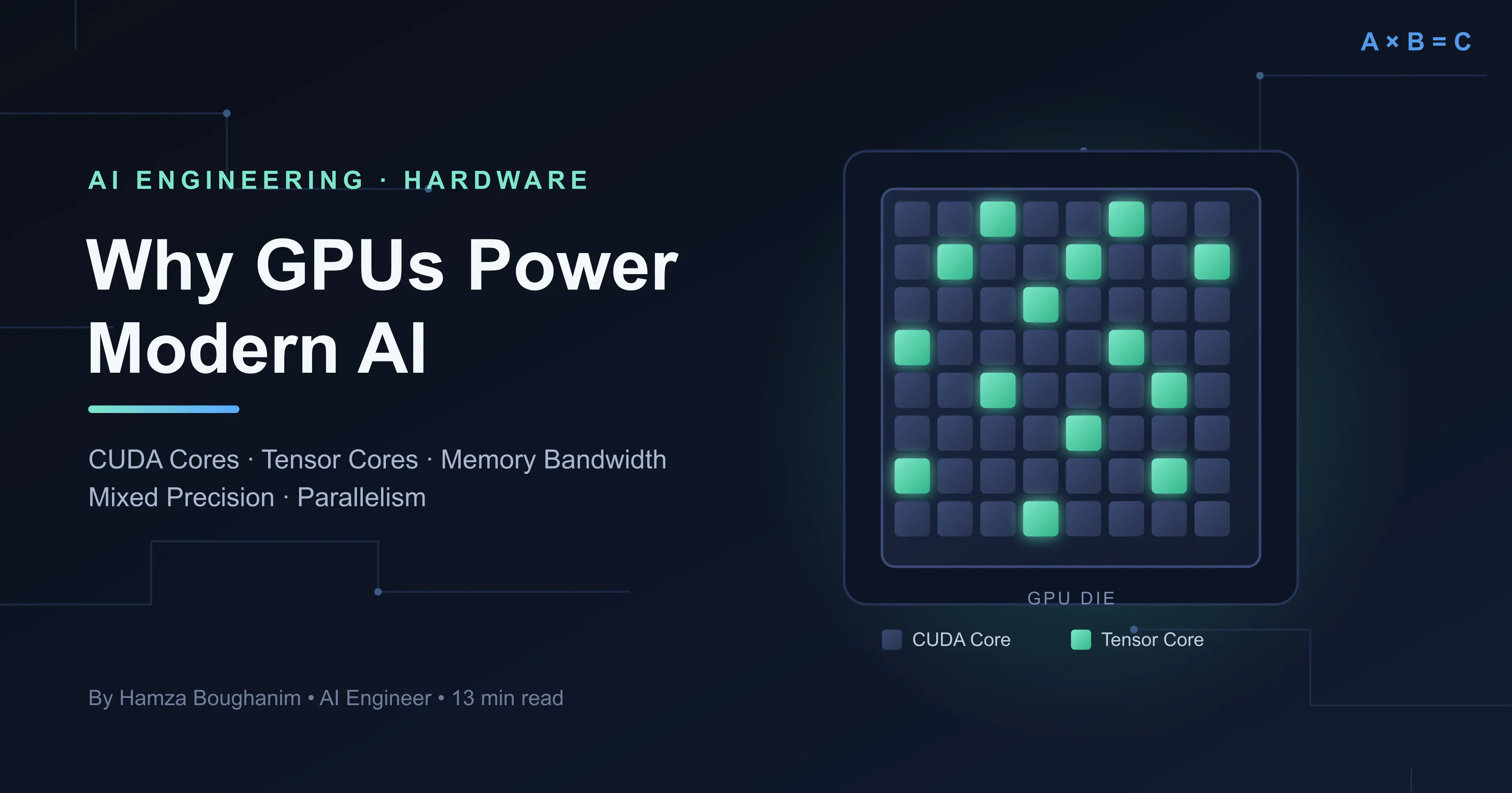
A GPU is organized into dozens of Streaming Multiprocessors — self-contained units, each with its own CUDA cores, Tensor Cores, register file, and shared memory. An NVIDIA H100 has 132 SMs; each one is effectively a small, independent parallel processor. Work is scheduled across SMs, and within each SM, across thousands of concurrent threads.
CUDA Cores — General-Purpose Parallel Math
CUDA cores execute standard floating-point and integer operations: additions, multiplications, comparisons. They're general-purpose in the sense that they can run any parallel workload, not just neural network math — this is what made GPUs useful for scientific computing long before deep learning existed.
Tensor Cores — Purpose-Built for Matrix Multiplication
Tensor Cores, introduced with NVIDIA's Volta architecture, do something CUDA cores don't: they
compute an entire small matrix multiply-and-accumulate operation
(D = A × B + C) in a single instruction, rather than looping through individual
multiply-adds. For the exact operation neural networks run most, this is dramatically more
efficient per clock cycle and per watt.
CUDA core:    one multiply-add per cycle, on scalars
Tensor Core:  one 4x4 (or larger) matrix multiply-add per cycle

For a 4096x4096 matrix multiply, this is the difference between
issuing billions of scalar instructions vs. a much smaller number
of tiled matrix instructions.
This is why comparing GPUs by "CUDA core count" alone is misleading for AI workloads. An A100 or H100 is faster at training not because it necessarily has more CUDA cores than a high-end consumer card, but because a much larger share of its silicon and memory bandwidth is dedicated to Tensor Core throughput and to feeding those cores without stalling.
The Part Most Explanations Skip: The Memory Hierarchy
Raw compute (FLOPs) is only half the story. A GPU capable of a thousand trillion operations per second is useless if it spends most of its time waiting for data. This is the single most common reason real-world training throughput falls far short of a GPU's advertised peak FLOPs.
| Memory Level | Location | Typical Size | Approx. Bandwidth |
|---|---|---|---|
| Registers | Inside each core | KBs per SM | Fastest — effectively free |
| Shared memory / L1 | Per SM | ~100–256 KB per SM | ~19 TB/s (on-chip) |
| L2 cache | Shared across SMs | Tens of MB | Several TB/s |
| HBM (VRAM) | On-package, off-die | 16–192 GB | 2–3.35 TB/s (H100) |
| PCIe / NVLink | GPU-to-GPU, GPU-to-host | — | 64 GB/s (PCIe 5) to 900 GB/s (NVLink) |
Every level down this table is larger and dramatically slower. A well-written kernel keeps data as close to the compute cores as possible — loading a tile of a matrix into shared memory once, then reusing it for many multiply-adds — rather than repeatedly fetching from HBM. This principle, called data reuse or arithmetic intensity, is why libraries like cuBLAS and cuDNN, and compilers like Triton, exist: hand-tuning memory access patterns is most of what makes a GPU kernel fast, not just having more FLOPs available.
This is also why VRAM bandwidth, not just VRAM size, is the number to watch when comparing GPUs for AI. Two cards can have identical memory capacity and wildly different real-world training speed if one uses GDDR6 and the other HBM3.
Precision Formats: The Underrated Lever
Not all floating-point numbers are created equal, and modern deep learning deliberately uses less precise number formats to move less data and compute faster — often with no measurable accuracy loss.
| Format | Bits | Typical Use |
|---|---|---|
| FP32 | 32 | Legacy default; high precision, slowest, most memory |
| TF32 | 19 (stored as 32) | Ampere+ default for matmuls; FP32 range, less mantissa |
| FP16 | 16 | Mixed-precision training; faster, narrower dynamic range |
| BF16 | 16 | Same range as FP32, less precision — training-stable, widely preferred over FP16 |
| INT8 / FP8 | 8 | Inference and modern training (H100); big speed and memory wins |
Mixed Precision in Practice (PyTorch)
import torch

model = model.cuda()
optimizer = torch.optim.AdamW(model.parameters(), lr=3e-4)
scaler = torch.cuda.amp.GradScaler()

for batch in dataloader:
    inputs, targets = batch
    inputs, targets = inputs.cuda(), targets.cuda()

    optimizer.zero_grad()

    # Autocast runs eligible ops (matmuls, convs) in BF16/FP16
    # while keeping precision-sensitive ops (e.g. softmax, loss) in FP32
    with torch.autocast(device_type="cuda", dtype=torch.bfloat16):
        outputs = model(inputs)
        loss = torch.nn.functional.cross_entropy(outputs, targets)

    # GradScaler prevents FP16 gradient underflow (not needed for BF16,
    # but harmless to keep for compatibility)
    scaler.scale(loss).backward()
    scaler.step(optimizer)
    scaler.update()
Halving the bit-width of your data roughly halves the memory traffic per operation and doubles effective Tensor Core throughput on hardware that supports it. This single change is often the highest-leverage optimization available before touching model architecture at all.
Benchmarking It Yourself: CPU vs GPU on the Same Matrix Multiply
Rather than take the "GPUs are faster" claim on faith, you can measure it directly:
import torch, time

size = 8192
a_cpu = torch.randn(size, size)
b_cpu = torch.randn(size, size)

# CPU timing
start = time.time()
c_cpu = a_cpu @ b_cpu
cpu_time = time.time() - start

# GPU timing (with proper synchronization)
a_gpu = a_cpu.cuda()
b_gpu = b_cpu.cuda()
torch.cuda.synchronize()

start = time.time()
c_gpu = a_gpu @ b_gpu
torch.cuda.synchronize()  # GPU ops are async — must sync before timing
gpu_time = time.time() - start

print(f"CPU time: {cpu_time:.4f}s")
print(f"GPU time: {gpu_time:.4f}s")
print(f"Speedup:  {cpu_time / gpu_time:.1f}x")
# Typical result on an 8192x8192 FP32 matmul: 20-60x, hardware dependent
The torch.cuda.synchronize() call matters: GPU operations are launched asynchronously,
so timing without it measures how fast Python can queue instructions, not how fast the GPU executes them
— a common source of misleading benchmarks.
Scaling Beyond One GPU: The Four Kinds of Parallelism
Once a model or dataset outgrows a single GPU's compute or memory, training splits the work across multiple devices. These strategies are frequently combined, not used in isolation.
| Strategy | What's split | When you need it |
|---|---|---|
| Data Parallelism | Batches — each GPU holds a full model copy | Model fits on one GPU; you want more throughput |
| Tensor Parallelism | Individual weight matrices, sharded across GPUs | A single layer is too large for one GPU's memory |
| Pipeline Parallelism | Different layers placed on different GPUs | The full model doesn't fit on one device |
| Fully Sharded Data Parallel (FSDP) | Optimizer states, gradients, and parameters | Large models where optimizer memory is the bottleneck |
Data parallelism, the simplest form, replicates the model on every GPU and splits the batch.
After each backward pass, gradients are synchronized across devices — typically via NVIDIA's
NCCL communication library — before the next step. PyTorch exposes this through
DistributedDataParallel (DDP) and, for memory-constrained large models,
FullyShardedDataParallel (FSDP), which shards not just data but the model's own
parameters and optimizer state across GPUs.
Choosing Hardware: Training vs. Inference Are Different Problems
A card optimized for training is not automatically the right choice for serving a model in production, and vice versa.
| Priority | Training | Inference |
|---|---|---|
| Main bottleneck | Memory bandwidth + capacity (large batches, gradients, optimizer state) | Latency per request; batch size often small or 1 |
| Precision | BF16/FP16 with FP32 master weights | INT8/FP8 quantization common |
| Multi-GPU need | Often required for large models | Often single-GPU or even shared across requests |
| Typical hardware | A100 / H100 / multi-GPU clusters | L4, A10, or quantized models on consumer GPUs |
Common Pitfalls That Waste GPU Compute
- Batch size too small. A tiny batch can't fill thousands of parallel cores — you pay for a GPU and use a fraction of it.
- CPU-bound data loading. If your
DataLoadercan't preprocess batches fast enough, the GPU sits idle waiting for input. Usenum_workers, pinned memory, and prefetching. - Unnecessary CPU–GPU transfers. Moving tensors back and forth between host and device inside a training loop introduces PCIe latency that dwarfs the compute itself.
- Ignoring memory fragmentation. Long-running training jobs can fragment VRAM even when total usage looks fine, causing out-of-memory errors well below the card's advertised capacity.
- Full FP32 by default. Skipping mixed precision leaves roughly half of available throughput and memory bandwidth unused on modern hardware.
Frequently Asked Questions
Why can't a fast CPU just replace a GPU for deep learning?
Because the bottleneck isn't single-thread speed — it's the sheer volume of identical, independent operations. A CPU's few cores, however fast individually, cannot match thousands of cores executing the same instruction across a matrix simultaneously.
Do I need a GPU with more VRAM or higher bandwidth?
Both matter, but for different reasons: VRAM capacity determines the largest model and batch size you can fit at all; bandwidth determines how fast that data moves to the cores. Running out of either causes different failures — capacity causes out-of-memory errors, low bandwidth causes silently slow training even when memory usage looks fine.
Is a GPU always faster than a CPU for AI workloads?
Not for every step. Data preprocessing, tokenization, and control-flow-heavy logic often run faster or just as well on a CPU. The rule of thumb: if the operation is a large, uniform, parallel computation (matrix math), use the GPU; if it's branching, sequential, or I/O-bound logic, the CPU is often the better — and only — option.
What's the practical difference between an A100 and an H100?
The H100 adds FP8 support via fourth-generation Tensor Cores and significantly higher HBM bandwidth, both of which disproportionately benefit large transformer training and inference compared to raw FLOPs alone.
Key Takeaways
- Deep learning is matrix multiplication at scale — GPUs win because that computation is embarrassingly parallel.
- Tensor Cores, not just CUDA core count, explain why AI-focused GPUs outperform raw-spec comparisons.
- Memory bandwidth is often the true bottleneck, not compute — a GPU idle waiting on HBM wastes its FLOPs.
- Mixed precision (BF16/FP8) is free performance on modern hardware, often the single highest-leverage optimization.
- Parallelism strategy should match your bottleneck — data parallelism for throughput, tensor/pipeline parallelism when a model doesn't fit on one GPU.
Final Thought
GPUs were never designed for artificial intelligence — they were designed to render triangles and shade pixels. Deep learning simply turned out to need the same thing graphics did: massive, uniform, parallel arithmetic. Understanding that convergence — and the memory hierarchy, precision formats, and parallelism strategies built on top of it — is what separates "I used a GPU because the tutorial said to" from actually being able to reason about training speed, cost, and hardware choice like an engineer.