Introduction: Which Vector Database Should You Choose for RAG?
Every Retrieval-Augmented Generation system needs somewhere to store and retrieve embeddings. That choice — the vector database — is one of the highest-leverage decisions you'll make once a prototype moves toward production.
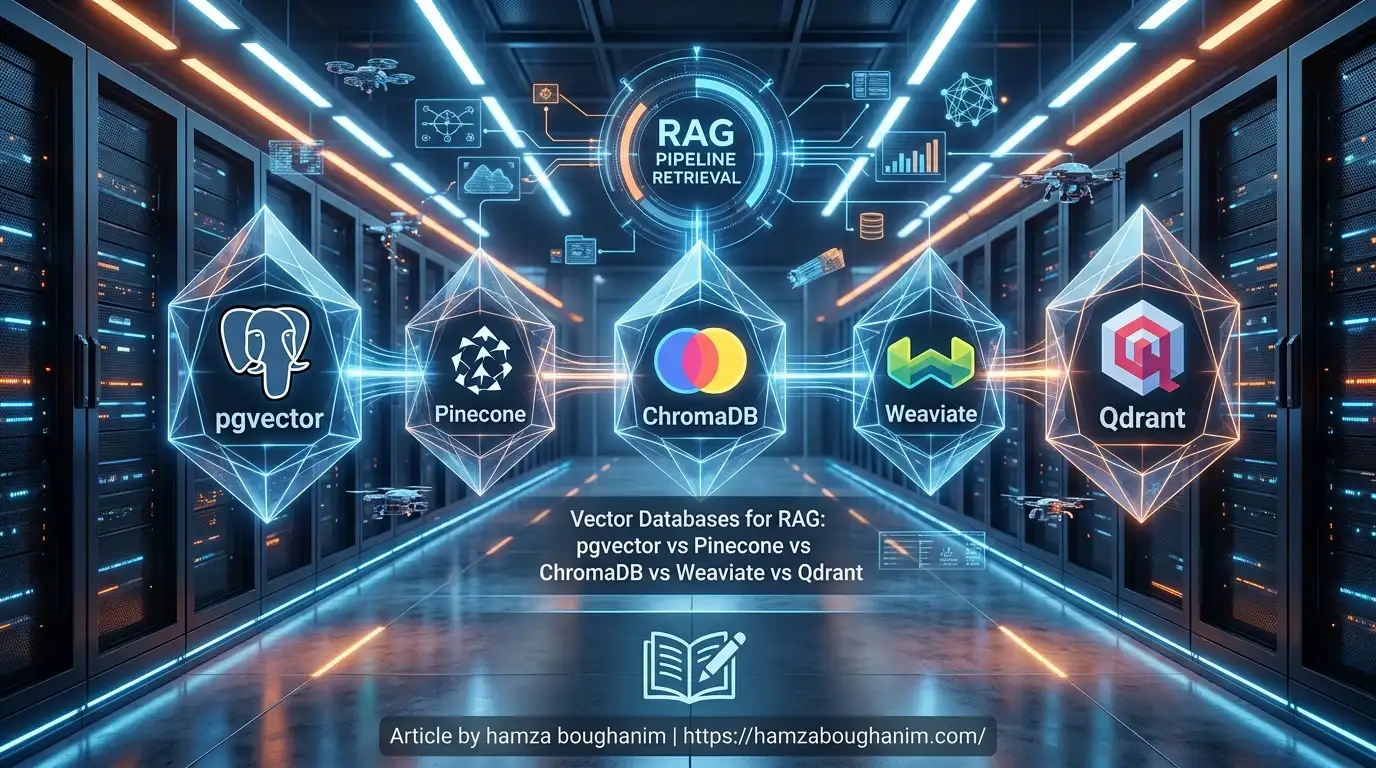
The ecosystem offers five major options, each with a different tradeoff between simplicity, control, cost, and operational overhead:
- pgvector — a PostgreSQL extension, if you already run PostgreSQL
- Pinecone — fully managed, zero infrastructure, pay per query
- ChromaDB — lightweight, local-first, ideal for development
- Weaviate — open-source, hybrid search, schema-flexible
- Qdrant — high-performance, Rust-based, production-focused
The honest answer is that there is no universally best vector database. The right choice depends on whether you want managed infrastructure or self-hosting, whether you need hybrid search or pure vector retrieval, what scale you're operating at, and how much operational burden you're willing to own.
This article compares all five across the criteria that actually matter in production RAG: search performance, scalability, filtering, cost, and deployment model. Then it gives you a decision framework — not a ranking, but a routing table that says "if your situation matches this, here's what to use."
What Is a Vector Database?
A vector database is a specialized system for storing and retrieving high-dimensional embeddings — the numerical vectors produced by embedding models like BERT or OpenAI's text-embedding-3-small. It's built around one core operation:
Given a query vector, find the k most similar vectors in the database.A traditional SQL database can technically store embeddings as blobs or arrays, but it doesn't understand that vectors have meaning captured in their geometry. A vector database specializes in the math that makes similarity search fast: approximate nearest-neighbor (ANN) algorithms like HNSW, IVF, and LSH that trade a small amount of recall for dramatic speedups at scale.
In a RAG pipeline the flow looks like this:
Document
   ↓
Chunking
   ↓
Embedding (384 or 1536 dimensions)
   ↓
Vector Database (stores vector + metadata)
   ↓
Query comes in
   ↓
Embed the query (same model)
   ↓
Vector Database: find top-k similar
   ↓
Metadata attached to those vectors
   ↓
Chunks returned to the LLM
The vector database sits between your retriever and your LLM — it's the machinery that makes semantically relevant retrieval possible, not just keyword-exact matching.
What Makes a Good Vector Database for RAG?
Before comparing individual systems, here are the evaluation criteria that separate a good production vector database from a prototype toy:
| Criterion | Why it matters |
|---|---|
| Search latency (p95) | Users notice when retrieval takes 3 seconds instead of 0.3 |
| Scalability | Does performance hold at 1M vectors? 100M? |
| Metadata filtering | Can you retrieve "documents from 2025 OR authored by Alice" without a full scan? |
| Hybrid search | Can you combine vector similarity with keyword matching? |
| Deployment model | Do you want managed (pay per query) or self-hosted (own infrastructure)? |
| Indexing strategy | HNSW, IVF, LSH — different speed/recall tradeoffs |
| Cost at scale | What does serving 1M daily queries cost per month? |
| Migration path | If you outgrow this database, how painful is switching? |
| Operational burden | Do you need to tune indices? Manage backups? Monitor shards? |
Vector Database Comparison at a Glance
| Feature | pgvector | Pinecone | ChromaDB | Weaviate | Qdrant |
|---|---|---|---|---|---|
| Type | PostgreSQL ext. | Managed | Open-source | Open + Managed | Open + Managed |
| Self-hosting | ✅ | ❌ | ✅ | ✅ | ✅ |
| Managed cloud | Via provider | ✅ | ✅ | ✅ | ✅ |
| Metadata filtering | ✅ | ✅ | ✅ | ✅ | ✅ |
| Hybrid search | Via PostgreSQL | Supported | Limited | Strong | Strong |
| Indexing algorithm | HNSW | Proprietary | HNSW | HNSW + custom | HNSW |
| Best use case | Existing PostgreSQL | Managed prod | Dev + prototyping | Advanced search | High perf self-hosted |
1. pgvector: Best Vector Database If You Already Use PostgreSQL
What Is pgvector?
pgvector is a PostgreSQL extension that adds a vector data type and operations
like L2 distance, cosine similarity, and inner product. It's not a standalone vector database
— it's a vector capability grafted onto the relational database you might already be running
for business logic, user data, and everything else.
CREATE TABLE documents (
    id SERIAL PRIMARY KEY,
    content TEXT,
    embedding vector(1536)
);

CREATE INDEX ON documents USING hnsw (embedding vector_cosine_ops)
WITH (m = 16, ef_construction = 64);

SELECT content FROM documents
ORDER BY embedding <-> query_embedding
LIMIT 5;
Advantages of pgvector
- Zero new infrastructure. If you already run PostgreSQL for application data, you don't spin up another database.
- ACID transactions. Vectors and relational data stay consistent together — an embedding update and the corresponding metadata update both succeed or both fail.
- SQL filtering. Retrieve "vectors similar to query AND created_date > 2025-01-01 AND author = 'Alice'" as naturally as any other WHERE clause.
- Cost-effective at small scale. No per-query fees, no managed service markup — just your PostgreSQL bill.
- Familiar operations. If your team knows SQL, there's no new DSL to learn.
Disadvantages of pgvector
- Scaling requires strategy. PostgreSQL isn't natively designed for vector workloads. At 10M+ vectors you need read replicas, sharding, or a separate read cluster.
- Limited indexing options. HNSW is solid, but specialized vector databases offer IVF and proprietary algorithms for different speed/recall tradeoffs.
- Operational complexity at scale. Tuning HNSW parameters (m, ef_construction), managing VACUUM, and monitoring query plans become necessary.
- Not the most efficient. A purpose-built vector database will outperform pgvector on pure retrieval speed at the same scale, because vector search isn't PostgreSQL's primary design goal.
When Should You Use pgvector?
- You already operate a PostgreSQL database for your application.
- Your vector retrieval latency budget is 100–500ms (pgvector is fine for this; anything tighter needs a specialized database).
- You're under 10M vectors; beyond that you'll start running into scaling and operational headaches.
- Simplifying infrastructure and avoiding per-query costs matters to you.
- Your team is deeply comfortable with PostgreSQL operations.
2. Pinecone: Best Managed Vector Database for Production RAG
What Is Pinecone?
Pinecone is a fully managed vector database service. You create an index, push vectors and metadata, and query it via an API. Pinecone handles sharding, replication, scaling, backups — everything. You pay per query (and per month for storage).
from pinecone import Pinecone

pc = Pinecone(api_key="...")
index = pc.Index("my-rag-index")

# Upsert
index.upsert(vectors=[
    ("doc1", embedding_vector, {"text": "...", "source": "wiki"}),
    ("doc2", embedding_vector, {"text": "...", "source": "blog"}),
])

# Query
results = index.query(query_embedding, top_k=5, filter={"source": "wiki"})
for match in results.matches:
    print(match.metadata["text"], match.score)
Advantages of Pinecone
- Zero operational overhead. No clusters to manage, no index tuning, no sharding strategy.
- Scales automatically. Push 1M vectors or 1B — Pinecone's infrastructure handles it.
- Production-hardened. Built specifically for production RAG; reliability and performance are not afterthoughts.
- Fast retrieval latency. p95 latency in the 50–100ms range for reasonably-sized indexes.
- Hybrid search support. Combine vector retrieval with full-text search on metadata.
- Enterprise features. Pod-based isolation for multi-tenant deployments, role-based access control, audit logging.
Disadvantages of Pinecone
- Managed service cost. At 1M queries per day, pricing adds up — typically hundreds to thousands per month depending on index size.
- Vendor lock-in. Pinecone's API is standard, but exporting vectors and metadata to migrate elsewhere is possible but non-trivial.
- Less infrastructure control. You can't tune HNSW parameters, adjust replication factor, or run custom indexing strategies.
- No on-premises option. Pinecone is cloud-only; if you have data sovereignty requirements, this won't work.
When Should You Use Pinecone?
- You want a production-ready vector database without operational headache.
- You're serving a SaaS product or a multi-tenant application.
- Your query volume is stable and predictable (Pinecone's pricing model is most efficient with steady demand).
- You don't have data residency or sovereignty constraints.
- Your budget accommodates managed service pricing.
3. ChromaDB: Best for Local RAG Development and Prototyping
What Is ChromaDB?
ChromaDB is an open-source, Python-first vector database designed for simplicity. It runs locally, stores embeddings and metadata in SQLite by default, and provides a minimal API focused on the core RAG workflow: add documents, search, get results.
import chromadb

client = chromadb.Client()
collection = client.create_collection(name="documents")

# Add documents with embeddings
collection.add(
    ids=["doc1", "doc2"],
    embeddings=[embedding_1, embedding_2],
    documents=["text of doc 1", "text of doc 2"],
    metadatas=[{"source": "wiki"}, {"source": "blog"}]
)

# Query
results = collection.query(
    query_embeddings=[query_embedding],
    n_results=5,
    where={"source": "wiki"}
)
print(results["documents"])
Advantages of ChromaDB
- Instant setup.
pip install chromadband you're retrieval-ready in seconds. - No infrastructure. Runs entirely in Python; perfect for notebooks, scripts, and local development.
- Minimal API. Only five operations: add, delete, query, update, get. If you need retrieval, ChromaDB doesn't make you learn a complex interface.
- Embedding model included. By default uses a small embedding model locally — you never leave your machine during development.
- Metadata filtering. Supports simple where clauses on metadata.
- Persistence. Data lives in SQLite on disk, survives restarts.
- Free and open-source. No licensing, no cost, no phone-home.
Disadvantages of ChromaDB
- Not designed for large scale. SQLite backend becomes a bottleneck above a few million vectors.
- Limited indexing. Primarily relies on brute-force and simple HNSW; no IVF or proprietary optimizations.
- Single-machine operation. No built-in replication, sharding, or distributed support.
- Query latency grows linearly. Once you hit tens of millions of vectors, retrieval starts to slow noticeably.
- No managed option. You need to handle persistence, backups, and updates yourself.
- Hybrid search is limited. No native full-text search integration.
ChromaDB for Production RAG: Honest Assessment
ChromaDB is not a production vector database for large-scale RAG. It's an excellent development vector database — use it to prototype your entire RAG pipeline locally, test retrieval quality against your own documents, and iterate without spinning up infrastructure.
Once you need to serve concurrent users, handle millions of vectors, or guarantee consistent p95 latency, plan to migrate to Qdrant, Weaviate, or Pinecone. The good news: ChromaDB's API is simple enough that migration code is straightforward.
When Should You Use ChromaDB?
- You're building a RAG prototype or proof-of-concept.
- You're working locally with your own documents (under 1M vectors).
- You want to iterate quickly without infrastructure setup.
- You're evaluating retrieval quality before committing to a production database.
- You're a researcher or student building a RAG system for a paper or coursework.
4. Weaviate: Best for Hybrid and Feature-Rich Search
What Is Weaviate?
Weaviate is an open-source vector database with a strong focus on hybrid search — combining vector similarity with keyword/BM25 search. It also introduces schema, which means you define the structure of your data upfront (classes, properties, datatypes).
import weaviate

client = weaviate.connect_to_local()

# Create a class (schema)
client.collections.create(
    name="Document",
    properties=[
        weaviate.classes.config.Property(name="text", data_type=weaviate.classes.config.DataType.TEXT),
        weaviate.classes.config.Property(name="source", data_type=weaviate.classes.config.DataType.TEXT),
    ],
    vectorizer_config=weaviate.classes.config.Configure.Vectorizer.text2vec_openai(),
)

# Add objects
collection = client.collections.get("Document")
collection.data.insert(properties={"text": "...", "source": "wiki"})

# Hybrid search
results = collection.query.hybrid(query="...", alpha=0.7)  # 0.5 = BM25, 0.5 = vector
Advantages of Weaviate
- Hybrid search native. BM25 + vector similarity together, not bolted on — blend them with an alpha parameter.
- Schema-first design. Define data structure upfront; enforces consistency and enables richer queries.
- Open-source and self-hosted. Run on your infrastructure; no managed service fees.
- Managed cloud option. Weaviate Cloud Service for those who want managed infrastructure without Pinecone's pricing model.
- Vectorizer integration. Built-in support for OpenAI, Cohere, and other embedding APIs — vectors can be computed on-demand.
- GraphQL API. Powerful query language for complex retrieval patterns.
- Production-ready. Used by enterprise customers; designed for scale.
Disadvantages of Weaviate
- Schema requirements. Defining classes upfront is powerful but less flexible than schema-free systems if your data structure evolves.
- Operational complexity. Self-hosting requires tuning, monitoring, and backup strategy — more overhead than ChromaDB but less than building on pgvector.
- GraphQL learning curve. Powerful but not everyone is comfortable with GraphQL; REST API exists but is less featured.
- Resource consumption. Running Weaviate locally requires more memory and compute than ChromaDB.
When Should You Use Weaviate?
- You need hybrid search — combining semantic and keyword retrieval on the same dataset.
- You want open-source with a production-ready option (self-hosted or managed).
- Your data has structure that benefits from a schema (e.g., documents with title, author, date, embedding).
- You're comfortable with GraphQL and the operational overhead of self-hosting.
- You want to avoid vendor lock-in of a managed-only service.
5. Qdrant: Best for High-Performance Vector Search and Filtering
What Is Qdrant?
Qdrant is an open-source vector database written in Rust, built for performance and filtering. It offers both self-hosted and managed cloud options, and is specifically optimized for low-latency retrieval even under high concurrency.
from qdrant_client import QdrantClient
from qdrant_client.models import Distance, VectorParams, PointStruct

client = QdrantClient(":memory:")

# Create collection
client.create_collection(
    collection_name="documents",
    vectors_config=VectorParams(size=1536, distance=Distance.COSINE),
)

# Upsert points
client.upsert(
    collection_name="documents",
    points=[
        PointStruct(id=1, vector=embedding, payload={"text": "...", "source": "wiki"}),
        PointStruct(id=2, vector=embedding, payload={"text": "...", "source": "blog"}),
    ],
)

# Search with filter
results = client.search(
    collection_name="documents",
    query_vector=query_embedding,
    query_filter=Filter(
        must=[MatchValue(key="source", value="wiki")]
    ),
    limit=5,
)
Advantages of Qdrant
- Rust implementation. Memory-safe, blazing fast, single-threaded latency unbeatable in many benchmarks.
- Advanced filtering. Complex payload filters (AND, OR, NOT) evaluated efficiently on the fly.
- Sparse and dense retrieval. Hybrid BM25 + dense vectors in one system.
- Production-ready self-hosting. Deploy to Kubernetes, Docker, or bare metal; handles multi-node clustering.
- Managed cloud option. Qdrant Cloud for those who want the benefits of self-hosted architecture with managed operations.
- Cost-efficient. Self-hosting costs only your infrastructure; managed option cheaper than Pinecone at equivalent scale.
- gRPC and REST APIs. Choose based on your performance and integration needs.
Disadvantages of Qdrant
- Operational responsibility. Self-hosting means you manage updates, backups, scaling, and monitoring.
- Memory footprint. Qdrant's in-memory index design makes it memory-hungry compared to disk-optimized alternatives at very large scales.
- Less ecosystem integration. Fewer embedding model integrations and vectorizer options compared to Weaviate.
- Smaller user community. Not as many tutorials, examples, and community support as Pinecone or ChromaDB.
When Should You Use Qdrant?
- You need sub-100ms p95 latency at scale — Qdrant's Rust performance is hard to beat.
- Complex filtering is central to your retrieval logic.
- You want to self-host and avoid managed service pricing.
- You're comfortable with operational overhead (updates, monitoring, backups).
- You need Kubernetes deployment or multi-node clustering.
Head-to-Head Comparisons
pgvector vs Pinecone
| Dimension | pgvector | Pinecone |
|---|---|---|
| Setup time | 5 minutes (if PostgreSQL exists) | 2 minutes |
| Cost at 1M queries/day | ~$100–200/month | ~$2,000–5,000/month |
| Operational overhead | Medium (your PostgreSQL) | None (managed) |
| Retrieval latency (p95) | 200–500ms | 50–100ms |
| Scalability limit | ~10M vectors | Billions |
| Best for | Existing PG, <1M vectors | Production SaaS, any scale |
ChromaDB vs Weaviate
| Dimension | ChromaDB | Weaviate |
|---|---|---|
| Setup | 1 command | Docker compose or managed |
| Scalability | Up to ~1M vectors | 10M–1B vectors |
| Hybrid search | Limited | Native, powerful |
| Schema required | No | Yes |
| Best for | Dev/prototyping | Production, complex queries |
Qdrant vs Pinecone
| Dimension | Qdrant | Pinecone |
|---|---|---|
| Managed option | Yes (Qdrant Cloud) | Yes (only option) |
| Self-hosting | Yes | No |
| Latency (p95) | 30–80ms | 50–100ms |
| Filtering capability | Advanced | Basic |
| Cost (self-hosted) | Infrastructure only | N/A |
| Cost (managed, 1M queries/day) | ~$300–800 | ~$2,000–5,000 |
Vector Database Comparison for RAG: Decision Matrix
| Scenario | Recommended | Reasoning |
|---|---|---|
| Already using PostgreSQL | pgvector | Zero new infrastructure, ACID consistency, cost-effective at <10M vectors |
| Local RAG prototype | ChromaDB | Install and go; perfect for iteration and evaluating retrieval quality |
| Zero operational overhead required | Pinecone | Fully managed, scales to any size, trade cost for convenience |
| Open-source production deployment | Qdrant or Weaviate | Qdrant for latency; Weaviate for hybrid search |
| Hybrid search (keyword + vector) | Weaviate or Qdrant | Both native; Weaviate has schema, Qdrant has advanced filtering |
| Sub-50ms latency requirement | Qdrant or Pinecone | Qdrant self-hosted or Qdrant Cloud beats others |
| Large-scale multi-tenant SaaS | Pinecone | Handles scale, isolation, and operations automatically |
| Maximum infrastructure control | Qdrant or Weaviate | Self-hosted on your Kubernetes or servers, tune everything |
Vector Database Performance: What Actually Matters
Every vector database has published benchmarks claiming to be the fastest. Almost all of those benchmarks are misleading because they measure performance under one specific configuration that may not match your workload at all.
Factors that swing performance wildly:
- Vector dimensionality. Searching 384-dimensional vectors is massively faster than 1536-dimensional. A benchmark on 384-dim embeddings doesn't tell you anything about performance with OpenAI's larger models.
- Dataset size. Latency often grows logarithmically or sub-linearly up to a point, then hits a wall — it depends on the indexing algorithm and its tuning.
- Top-k value. Retrieving top-5 results is faster than top-100; a benchmark that compares top-5 doesn't predict your performance if you retrieve top-500.
- Filtering complexity. "Show me vectors similar to X AND date > 2025 AND author IN (list of 1000)" is much slower than pure vector search.
- Concurrency. Single-threaded latency and throughput under 100 concurrent requests are different animals.
- Hardware. A benchmark on a 64-core machine doesn't predict performance on a 4-core instance.
The honest advice: take published benchmarks as directional, not absolute. If you have a specific workload (vector size, dataset size, query type, expected throughput), run your own benchmark on the candidate databases before committing. Most vector databases let you spin up a free trial in minutes.
Vector Database Cost: What Should You Actually Pay?
Cost depends sharply on your deployment model. Don't compare Pinecone's managed pricing to pgvector's infrastructure cost without accounting for operational burden — they're measuring different things.
| Database | Cost model | Typical 1M queries/day cost |
|---|---|---|
| pgvector | PostgreSQL bill (not vector-specific) | $100–200/month |
| ChromaDB | Your infrastructure + no license | $0 (self-hosted) or AWS bill |
| Weaviate (self-hosted) | Your infrastructure + no license | $50–200/month (Kubernetes) |
| Weaviate (managed) | Per-query + storage | $200–1,000/month |
| Qdrant (self-hosted) | Your infrastructure + no license | $50–300/month |
| Qdrant Cloud | Per-query + storage | $300–1,000/month |
| Pinecone | Per-query + storage | $2,000–5,000+/month |
The cost gap between managed (Pinecone, Weaviate Cloud) and self-hosted (Qdrant, Weaviate) grows with scale, which is why production at any meaningful volume usually migrates from managed to self-hosted.
How to Choose a Vector Database for Production RAG
Use this routing decision tree:
Do you already use PostgreSQL?
    ├─ YES → pgvector (if <10M vectors)
    └─ NO
         │
         Do you want zero operational overhead?
         ├─ YES → Pinecone
         └─ NO
              │
              Do you need hybrid (BM25 + vector) search?
              ├─ YES → Weaviate (schema-focused) or Qdrant (filter-focused)
              └─ NO
                   │
                   Do you need <50ms p95 latency?
                   ├─ YES → Qdrant (self-hosted or Cloud)
                   └─ NO → Weaviate or Qdrant (both solid)
Migrating Between Vector Databases: Practical Strategies
If you start with ChromaDB for prototyping and later need production-grade performance, migration is straightforward because the core data model is simple: vectors + metadata.
ChromaDB → Qdrant migration
# 1. Export from ChromaDB
collection = chromadb_client.get_collection("documents")
all_data = collection.get(include=["embeddings", "documents", "metadatas"])

# 2. Transform to Qdrant format
from qdrant_client.models import PointStruct
points = [
    PointStruct(id=int(id_), vector=vec, payload={
        "text": doc,
        **metadata
    })
    for id_, vec, doc, metadata in zip(
        all_data["ids"],
        all_data["embeddings"],
        all_data["documents"],
        all_data["metadatas"]
    )
]

# 3. Insert into Qdrant
qdrant_client.upsert(
    collection_name="documents",
    points=points
)
FAQ: Vector Databases for RAG
What is the best vector database for RAG?
There is no universally best vector database. pgvector is best if you already use PostgreSQL; Pinecone if you want zero operational overhead; ChromaDB if you're prototyping; Qdrant or Weaviate if you want open-source production-ready systems. Choose based on your constraints: infrastructure, scale, and budget.
Is pgvector better than Pinecone?
pgvector is cheaper and simpler if you're already running PostgreSQL at <10M vectors. Pinecone is faster, more scalable, and requires zero operations. "Better" depends on your priorities.
Can I use PostgreSQL instead of a vector database?
Yes, via pgvector. PostgreSQL + pgvector is a complete vector database for RAG at small to medium scale. Beyond ~10M vectors or if you need <50ms latency, a specialized vector database becomes necessary.
Is ChromaDB production-ready?
ChromaDB is not designed for production-scale RAG (millions of daily queries, strict latency SLAs). It's excellent for development and prototyping. Migrate to Qdrant, Weaviate, or Pinecone once you need production scale.
Which vector database is cheapest?
pgvector (if PostgreSQL exists) and self-hosted Qdrant or Weaviate (you pay only for infrastructure). Pinecone is the most expensive at scale due to per-query pricing.
What is hybrid search in vector databases?
Hybrid search combines vector similarity with keyword/BM25 search. Instead of retrieving only semantically similar documents, you retrieve documents that match both keyword criteria AND semantic similarity. Weaviate and Qdrant have native hybrid search; others require separate indexes.
Do I need metadata filtering in a vector database?
Almost certainly. You'll want to filter by date, source, author, or other properties. All the databases compared here support it; the difference is how sophisticated the filtering is (Qdrant and Weaviate have more advanced filtering than pgvector or Pinecone).
Can I use a vector database without an embedding model?
No. A vector database stores vectors; you need to generate those vectors from text using an embedding model (BERT, OpenAI text-embedding-3, etc.). Some databases like Weaviate can call embedding APIs on your behalf; others require you to generate vectors yourself.
What's the difference between HNSW and IVF indexing?
HNSW (Hierarchical Navigable Small World) is a graph-based index fast and accurate at any scale; used by pgvector, ChromaDB, Qdrant, Weaviate. IVF (Inverted File) is faster at very large scale but requires careful tuning. Most production vector databases default to HNSW.
Final Thought
Choosing a vector database is not a lifelong commitment — the data model is simple enough that migrating from one to another is manageable. Start with what's cheapest or easiest for your current scale (ChromaDB for dev, pgvector if you have PostgreSQL), measure your actual retrieval patterns and latency requirements, and upgrade to a specialized database only when you hit real constraints.
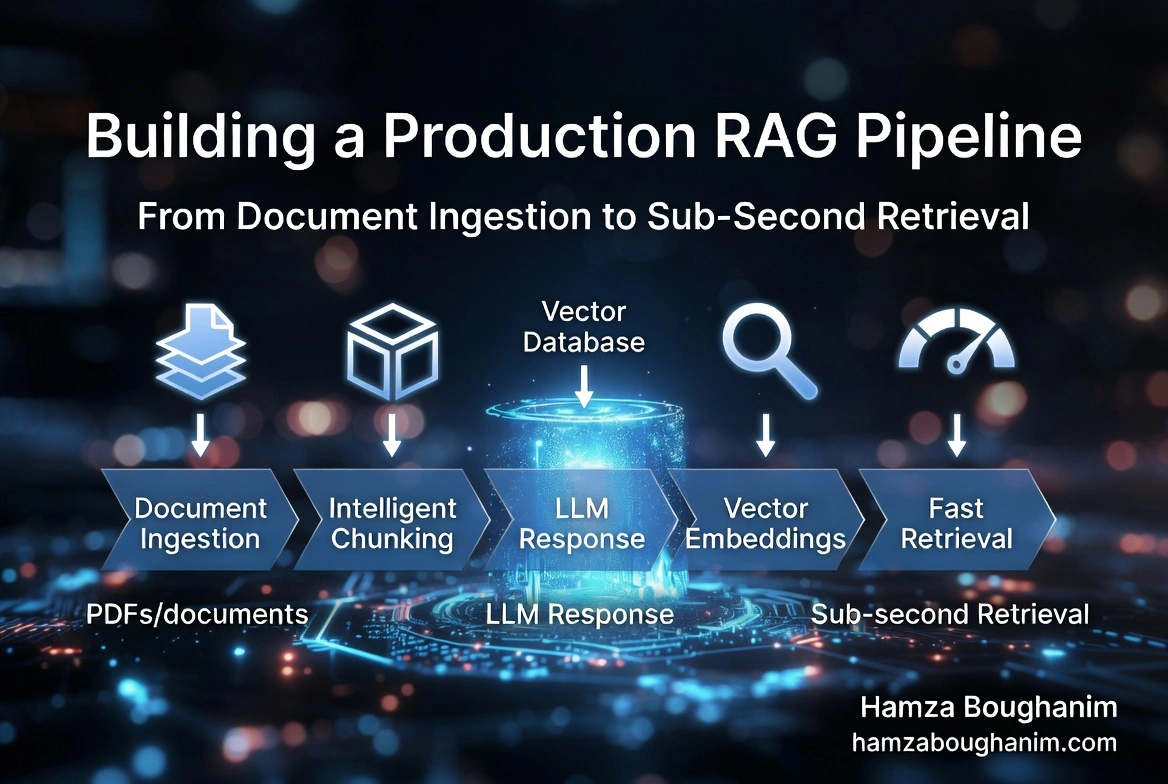
For more on the full RAG pipeline and how vector retrieval fits alongside chunking and embedding generation, see Building a Production RAG Pipeline.