The LLM Is Not the Agent
It's easy to conflate "the model" with "the agent," but they're not the same thing. An LLM can reason: given text, it can produce more text, including text that looks like a plan, a decision, or a tool call. But reasoning alone does not create an agent.
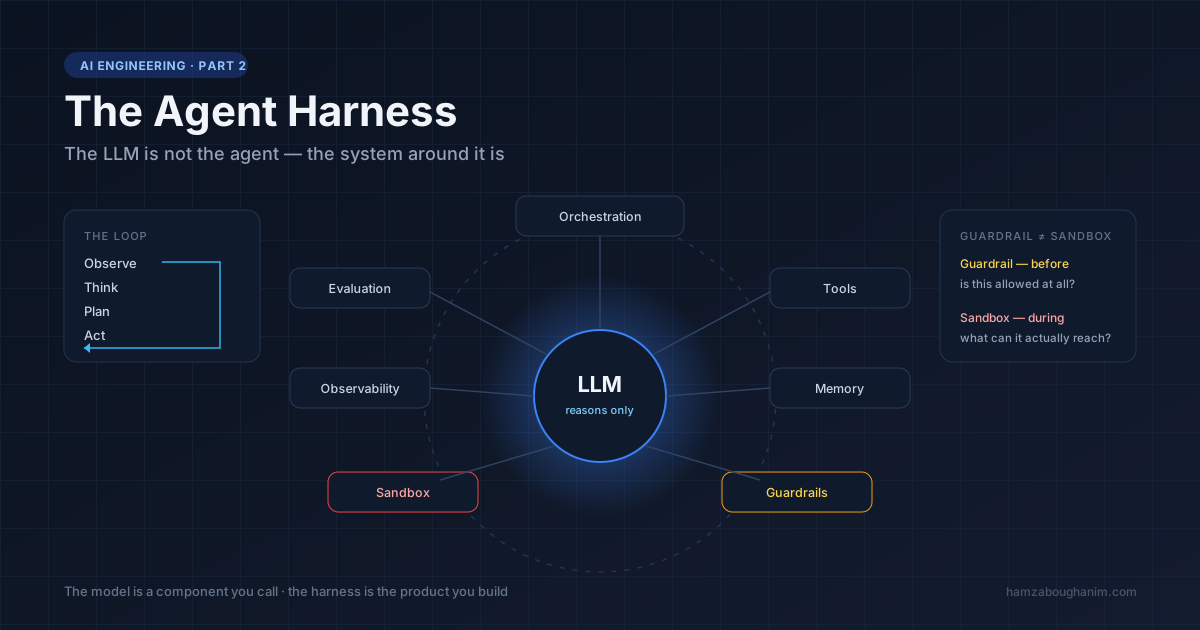
An agent needs a system around the model — something that takes the model's output, decides what it means, executes it safely, feeds the result back in, and keeps doing that in a loop until the task is done (or something goes wrong and a human needs to step in). That system is what we call the agent harness.
LLM
 │
 ├── Tools
 ├── Memory
 ├── Orchestration
 ├── Guardrails
 ├── Sandbox
 ├── Observability
 └── Evaluation
If you've read the first article in this series on sandboxing AI agents, you already know one of these pieces well. Sandboxing solves safe execution. This article is about everything else — the parts that decide when to execute, what to remember, what's allowed, and how you know it worked.
Why the Distinction Matters
Treating "the model" and "the agent" as the same thing leads to a common mistake: assuming that a better model automatically means a better agent. In practice, a mediocre model wrapped in a well-designed harness — good tools, tight guardrails, solid memory management, real evaluation — will often outperform a frontier model dropped into a chat loop with no structure around it.
The harness is where most of the actual engineering work happens. The model is a component you call; the harness is the product you build.
The Architecture of a Harness
                     AI Agent System
                           │
                           ▼
                       Harness
                           │
       ┌───────────┬───────┼────────┬──────────┐
       │           │       │        │          │
       ▼           ▼       ▼        ▼          ▼
 Orchestration   Tools   Memory  Guardrails  Observability
       │
       ▼
    Execution
       │
       ▼
    Sandbox
Let's go through each piece — what it does, why it exists, and what breaks if it's missing. Then we'll trace one real task through the whole system so the abstraction becomes concrete.
A Worked Example: "Refund This Customer's Order"
Say a support agent tool receives: "Refund order #4821, the customer says the item arrived damaged." Watch how many harness components a single request touches before anything actually happens:
- Memory pulls in the conversation context and the customer's order history — not the entire database, just what's relevant to this order.
- Orchestration decides the first step is to look up the order, not issue the refund immediately.
- A tool (
get_order) is called, scoped to read-only access on the orders table. - The model reasons over the result: order total is $340, above the store's $200 auto-refund threshold.
- Guardrails kick in: refunds above $200 require human approval. The loop pauses and creates an approval request instead of calling
issue_refund. - Observability logs the full reasoning trace, so a human reviewer can see why the agent wants to refund $340, not just the raw request.
- Once approved, orchestration resumes and calls
issue_refund. - Evaluation, running asynchronously across many such interactions, later checks: was this refund actually justified by policy? Did the agent correctly identify the threshold? This is how you catch a subtle bug — say, the agent misreading "$200" as a suggestion rather than a hard rule — before it costs real money at scale.
Notice that the LLM only did two things here: decide to look up the order, and decide to request a refund. Every other piece of behavior — the threshold check, the pause for approval, the logging, the later audit — came from the harness, not the model. That's the point.
Orchestration: The Agent Loop
Orchestration is the control flow that turns a single model call into an autonomous process. The most common pattern is a simple loop:
Observe
   ↓
Think
   ↓
Plan
   ↓
Act
   ↓
Observe
   ↓
...
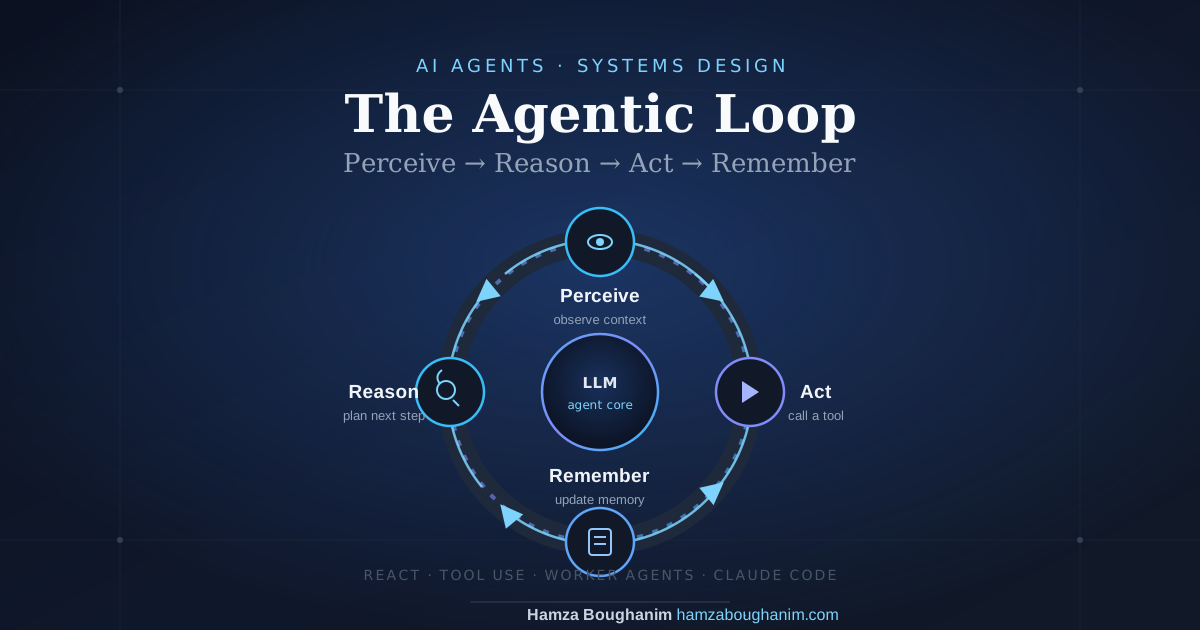
The agent observes the current state, reasons about what to do next, picks an action, executes it, observes the outcome, and repeats. Without orchestration, you don't have an agent — you have a single request/response call to a model that can't act on its own results. This loop is covered in depth in The Agentic Loop, with a working Python implementation.
Two things matter a lot here, and both are easy to get wrong:
- Termination conditions. What stops the loop — task completion, a maximum number of steps, a timeout, an explicit "I'm done" signal from the model? Without a clear answer, agents can loop indefinitely, burning tokens and compute on no progress.
- Failure handling. What happens when a tool call fails, returns an error, or times out? A well-designed loop treats failure as information to reason about, not a crash.
There are a few common orchestration patterns worth knowing by name:
- ReAct (Reason + Act) — the model alternates between explicit reasoning steps and tool calls, narrating its thought process before each action. Good for transparency and debugging.
- Plan-and-execute — the model produces a full multi-step plan up front, then a simpler executor works through the steps, only returning to the planning model if something unexpected happens. Cheaper and more predictable for well-defined tasks, but less adaptive mid-task.
- Single-agent loop — one model handles reasoning, tool selection, and execution decisions throughout.
- Multi-agent orchestration — a coordinator model delegates subtasks to specialized sub-agents (research, coding, review), each with its own scoped tools and often its own harness configuration. This adds coordination overhead but lets each sub-agent operate with tighter, task-specific guardrails.
Neither pattern is universally "better" — ReAct-style loops tend to be more robust to unexpected situations, while plan-and-execute tends to be cheaper and faster for tasks that are well understood in advance. Many production systems end up as a hybrid: a rough plan up front, with ReAct-style reasoning inside each step.
Tools: What the Agent Can Actually Do
Tools are the agent's hands. Common categories include:
Python execution
Browser / web access
Database queries
External APIs
Search
File read/write
The key design decision isn't "which tools do we give the agent" — it's "how narrowly is
each tool scoped." A tool called run_sql that accepts arbitrary SQL is
fundamentally different from one that only accepts parameterized queries against a fixed
set of tables. The former is powerful and dangerous; the latter is boring and safe. Good
tool design pushes as much safety as possible into the tool's interface itself,
rather than relying on the model to "behave."
Memory: What the Agent Remembers
Agents typically need several distinct kinds of memory, which are easy to conflate but serve different purposes:
- Short-term / working memory — the current conversation and the results of the current task's tool calls.
- Long-term memory — facts, preferences, or past outcomes that should persist across sessions, usually backed by a vector store. The chunking, embedding and reranking choices behind that are covered in building a production RAG pipeline.
- Conversation history — the raw exchange between user and agent.
- State — structured, task-specific data (e.g. "which files have been processed so far") that the model doesn't need to re-derive from prose every turn.
A common failure mode in early agent systems is dumping everything into one long context window and hoping the model sorts it out. As tasks get longer, that approach degrades — and it degrades expensively, because KV cache size grows with every token you keep. The harness needs to actively manage what's kept, what's summarized, and what's dropped.
Guardrails: What the Agent Is Allowed to Do
Guardrails are policy, enforced outside the model:
Allowed actions
Forbidden actions
Human approval required
Permission scopes
This is distinct from sandboxing. The sandbox contains the blast radius of an action once it's decided on; guardrails decide whether the action should happen at all. For example: an agent might be technically capable of sending an email (the tool exists, the sandbox would safely execute the call), but a guardrail can require explicit human approval before any outbound email actually sends. Both layers matter, and neither substitutes for the other.
Sandbox: Safe Execution
This is the piece covered in depth in the previous article — isolation, resource limits, network restrictions, and disposability for anything the agent actually executes. Within the harness, the sandbox is the execution backend that orchestration calls into once a tool call has passed the guardrails.
Observability: Knowing What Actually Happened
You cannot debug, secure, or improve a system you can't see inside. Observability for agents typically means capturing:
Full execution trace
Every tool call and its arguments
Latency per step
Errors and retries
Token usage and cost
Without this, "the agent did something weird" is an unanswerable bug report. With it, it's a five-minute investigation.
Evaluation: Did It Actually Work?
Finally — and this is the piece most agent projects skip — evaluation asks the questions that matter after the run finishes:
Did the agent actually solve the task?
Was the result correct?
Was it safe?
A demo that "looks impressive" once is not the same as a system that reliably solves a task correctly. Real evaluation means running the agent against a set of representative tasks with known-good outcomes, on a recurring basis, so regressions are caught before users hit them — not after.
How These Pieces Interact
None of these components work in isolation. A single tool call in a real agent typically flows through several of them:
- Orchestration decides it's time to act and picks a tool.
- Guardrails check whether that action is permitted, and whether it needs human approval.
- Memory supplies the context the tool call needs.
- Sandbox executes it safely, if execution is involved.
- Observability logs the entire step.
- Evaluation later assesses whether the overall task outcome was correct.
Miss any one of these, and the failure mode is predictable: no orchestration means no autonomy; no guardrails means no safety boundary on decisions; no sandbox means no safety boundary on execution; no memory means the agent forgets what it just did; no observability means you're debugging blind; no evaluation means you find out about failures from your users instead of your test suite.
Common Mistakes When Building a Harness
- Building the loop before the guardrails. It's tempting to get the agent "doing things" first and add safety later. In practice, guardrails and logging are far easier to design in from the start than to retrofit once the orchestration logic has grown complex.
- One giant tool instead of several narrow ones. A single
execute_action(description: str)tool that lets the model describe any action in free text is much harder to secure and evaluate than five or six narrowly typed tools with fixed parameters. - No memory eviction strategy. Context windows are finite. Teams that don't actively manage what stays in context find their agents get slower, more expensive, and often less accurate as conversations grow.
- Treating observability as a debugging afterthought. Added only once something breaks in production, which means the first real incident has no trace data to investigate.
- No evaluation until launch is imminent. Evaluation built at the last minute tends to test the happy path only. Even five or ten representative tasks alongside the first version catches regressions far earlier.
Conclusion
An LLM by itself is a powerful but ungrounded reasoning engine. It becomes an agent only once it's wrapped in a harness that gives it a loop to run in, tools to act with, memory to draw on, rules about what it's allowed to do, a safe place to execute, and a way to observe and evaluate what happened.
This is also why the sandbox from the previous article matters so much: it's not a bolt-on security feature, it's one of the load-bearing components of the harness itself.
Next in this series: Building a Secure Agent Runtime — combining the harness and the sandbox into a working, end-to-end architecture with a minimal reference implementation.